| 일 | 월 | 화 | 수 | 목 | 금 | 토 |
|---|---|---|---|---|---|---|
| 1 | 2 | 3 | 4 | 5 | 6 | |
| 7 | 8 | 9 | 10 | 11 | 12 | 13 |
| 14 | 15 | 16 | 17 | 18 | 19 | 20 |
| 21 | 22 | 23 | 24 | 25 | 26 | 27 |
| 28 | 29 | 30 |
- AM-TX3-200
- Crestron CP4
- Teams Rooms
- Crestron CP4N
- Video Wall
- Relay Wiring
- Crestron NVX
- DM-NVX-384
- Versiport
- AirMedia
- Conference Room AV
- AV-over-IP
- IR Serial
- Hybrid Meeting
- Meeting Room AV
- Video Conferencing
- AV SI
- Zoom Rooms
- AV over IP
- Crestron Korea
- Meeting Room Automation
- Cresnet
- Crestron
- DM NUX
- Control Subnet
- BYOM
- Wireless HDMI
- AV System Integration
- Integrated Control
- LAN Control
- Today
- Total
RAQIA | Crestron Solutions in S.Korea
Crestron AirMedia Lineup Introduction 본문
Have you ever experienced that sigh of resignation the moment you entered a conference room, confronted with a tangle of cables?
Have you ever panicked when your laptop's USB-C port didn't match the conference room monitor's outdated HDMI connector?
And perhaps you've fallen victim to the "beginner's failure story" of wasting precious meeting time fumbling with cables trying to make connections. This is likely not just my experience.

However, now these nightmarish experiences can become relics of the past. Thanks to wireless meeting core technology like Crestron AirMedia.
This article will explain, from the perspective of a beginner like me who has experienced numerous trials and errors, how AirMedia elegantly transforms that complicated conference room environment and solves the problems we commonly encounter in a simple and detailed manner.
If you're ready to stop struggling in the conference room and embrace the era of smart collaboration, come along with me!

The Conference Room Nightmare: Escaping Cable Hell
"Presenters, please come forward!" – meetings that started this way were always cable wars. At first, I confidently walked into the conference room with my latest laptop. But when I tried to share my screen, the reality hit: my laptop's USB-C port seemed to mock the conference room monitor's antiquated HDMI connector. My presentation materials were excellent, but without the right adapter,
I was already sweating before I even started – a typical "beginner's failure story" that many of you reading this likely empathize with. Someone would frantically search for spare adapters, while others would postpone their presentation turn, disrupting the meeting's flow.
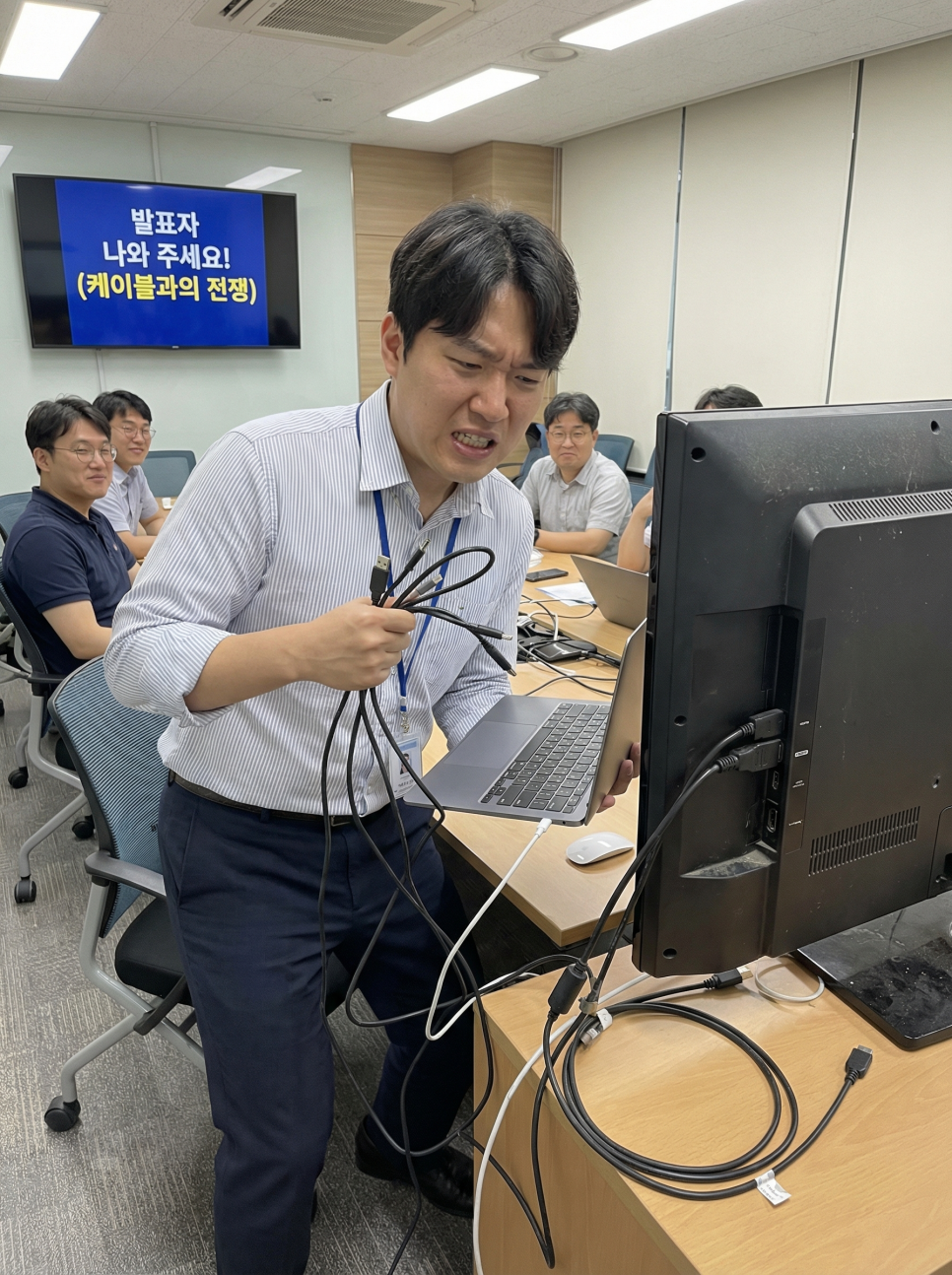
And those cables scattered across the floor? I'll never forget that terrifying moment when someone tripped over a cable during my presentation, and the screen went black. When I learned that repairing damaged cables required removing the entire installation, my desire for wireless technology reached its peak. The frustration of being stuck in front of the display due to cable length limitations was indescribable.

The clear answer to these problems is Crestron AirMedia. AirMedia allows you to easily connect any device through a USB-C type dongle or dedicated app, instantly solving cable compatibility issues. You no longer need to hunt for complex adapters or worry about HDMI port damage. With wireless connectivity possible within a 24-meter radius, presenters can freely move around and interact with the audience, and the conference room environment becomes beautifully organized. Like me escaping cable hell, AirMedia was literally a life-saving device.
Breaking the Flow of Presentations: "Stuttering" – No More!
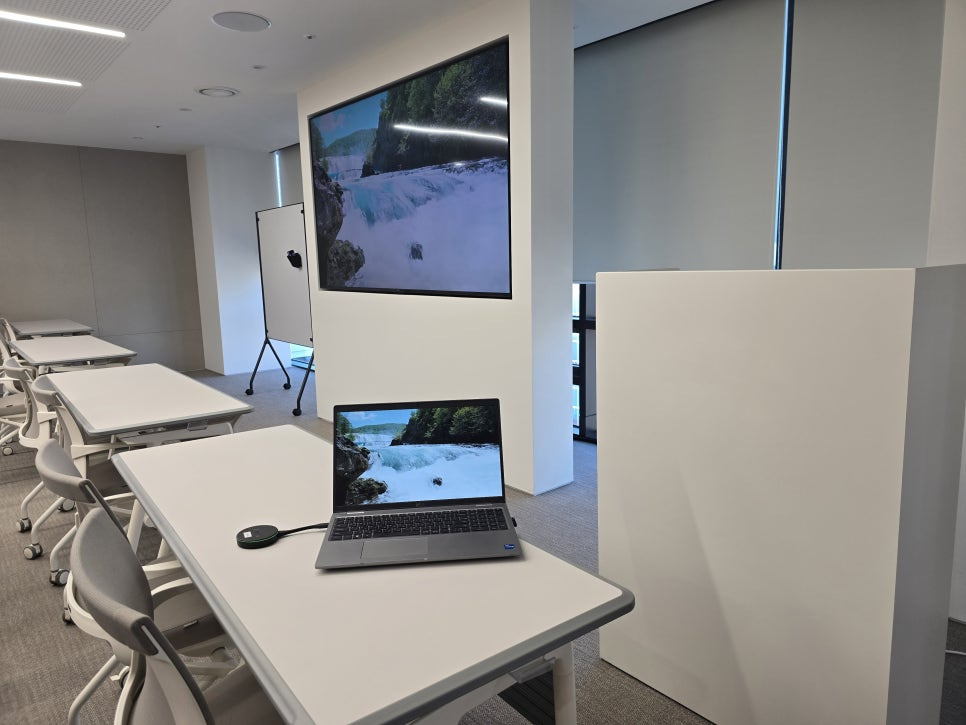
One of the biggest burdens for inexperienced presenters is the awkward silence during presenter transitions. The process of the first presenter unplugging the HDMI cable and handing it to the next presenter was always clumsy. As the next presenter struggled to connect their laptop, the conference room filled with unnecessary tension. This "stuttering" was especially pronounced when external guests or partners needed to present. The compatibility issues across different operating systems and devices – Windows, Mac, iOS, Android – wasted energy right before presentations began.
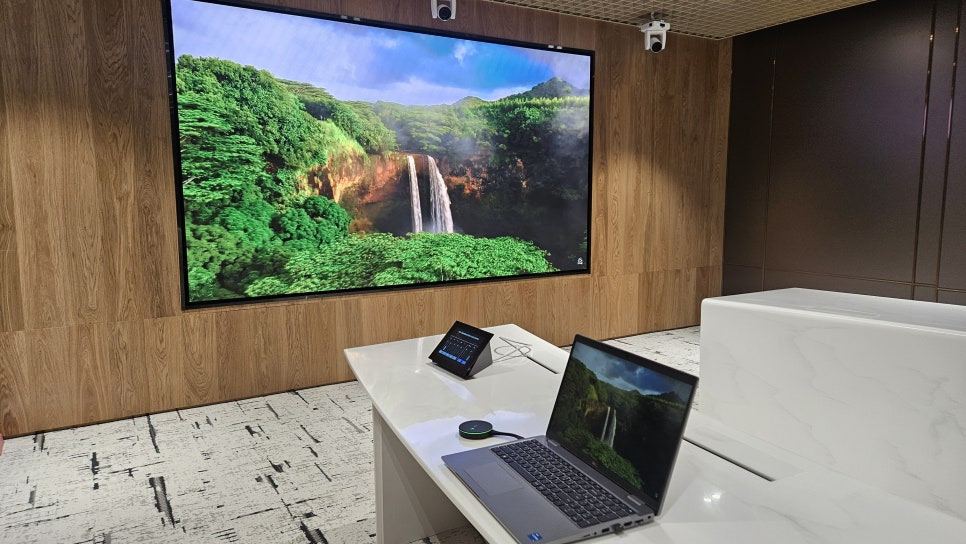
Crestron AirMedia solves these problems and maximizes meeting speed and flexibility. The moment you plug AM-TX3-100 into your laptop or tablet's USB-C port, screen sharing begins instantly without additional setup. Of course, your USB-C port must support DisplayPort Alt Mode, which is something to note. This doesn't disrupt the meeting's flow and significantly increases participant engagement. After using AirMedia, I no longer worry about presenter transitions and can focus solely on content delivery. The AM-TX3-100 elegantly resolves this unnecessary tension.
Furthermore, pausing the screen during a presentation is hassle-free. A quick double-tap of the Screenshare button pauses the screen; another double-tap resumes it. To completely end sharing, just press once. The fact that there's no need to navigate complex menus is an unexpectedly major advantage.

The screen-stop button demonstration video shows how simply pressing the button twice pauses the presentation, and pressing it once more resumes it.
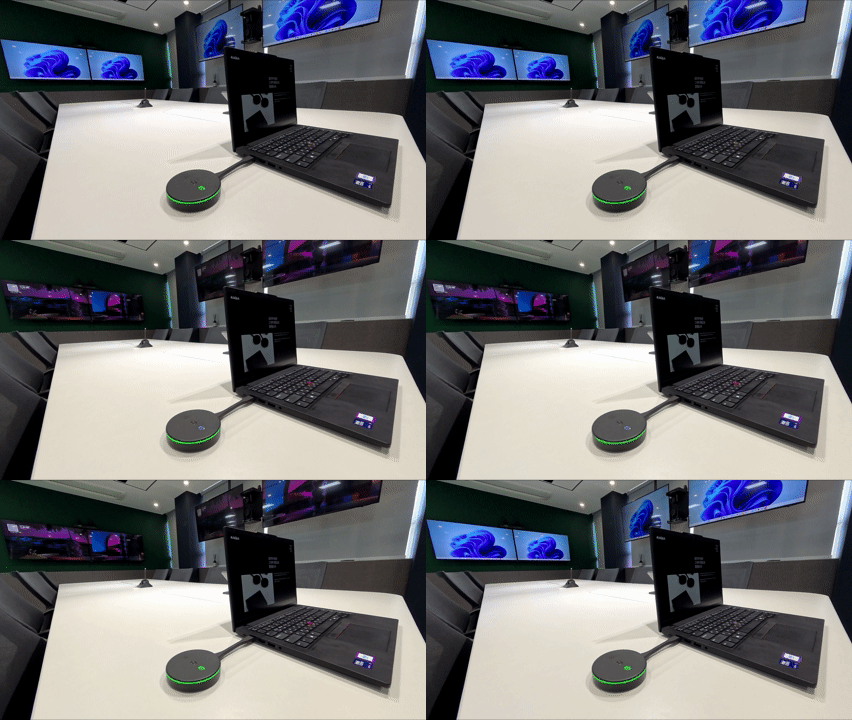
In video conferencing environments, the flow also remains smooth
. If the Peripherals button is green, cameras and microphones connect automatically. If it's white, simply press the button once to start the meeting. When the meeting ends, pressing the same button wraps everything up neatly. This means users unfamiliar with conference room equipment can use it without burden.
The AirMedia video conferencing demonstration shows seamless connection to video conferencing systems and smooth switching between functions.
AM-TX3-100 stands out not for flashy features, but for the device that quietly eliminates reasons for hesitation during meetings. The short operations – presenter switching, screen sharing, and video conferencing startup – become smooth, allowing meetings to flow naturally around content. It's equipment you'll truly appreciate once you use it.
Beyond Simple Convenience: Wireless Meetings
When I first encountered wireless screen sharing systems, I only focused on the "convenience of sharing screens without cables." But using Crestron AirMedia, I realized this technology's value was far broader. Going beyond simple screen sharing, it's truly a wireless meeting core technology that fundamentally transforms how we conduct meetings and collaborate.
In addition to wireless presentation functions, AirMedia connects with video conferencing equipment, allowing users to conduct video conferences from their personal devices. This provides an amazing experience – using the conference room's existing video conferencing system like an extension of your laptop. Moreover, when not in use, the AirMedia-connected display can function as digital signage, broadcasting announcements and company messages – a "hidden gem" feature I hadn't considered as a beginner. The ability to use a single device for various purposes also provides significant cost efficiency advantages.

Especially in the rapidly expanding BYOD (Bring Your Own Device) environment, Crestron AirMedia's value shines even brighter. In BYOD culture where employees and students use personally-owned devices for work and learning, seamless connections between diverse devices are essential. AirMedia connects quickly without driver installation, supporting 4K 30P video quality, simultaneous multi-user connections, and strong security features, providing an optimal solution for corporate and educational environments. For those like me dreaming of flexible and creative work and learning environments, AirMedia becomes more than just a wireless screen-sharing device – it becomes the essential puzzle piece completing "smart offices" and "smart classrooms."
Smart Choices: AirMedia Model Features and Considerations
Crestron AirMedia is available in several models tailored to different uses and environments. Understanding each model's features helps you make wise choices, avoiding unnecessary expenses and selecting what perfectly fits your environment. The main AirMedia lineup includes:
- AM-3000-WF-I: A receiver with strong video processing fundamentals. If your conference room primarily needs wireless screen-sharing functionality, this model represents a reasonable choice.
- AM-3100-WF-I: All features of the AM-3000 plus a USB interface for wireless video conferencing and other conference device connections. If you want to wirelessly connect existing video conferencing cameras or speakerphones, consider starting with the AM-3100 model.
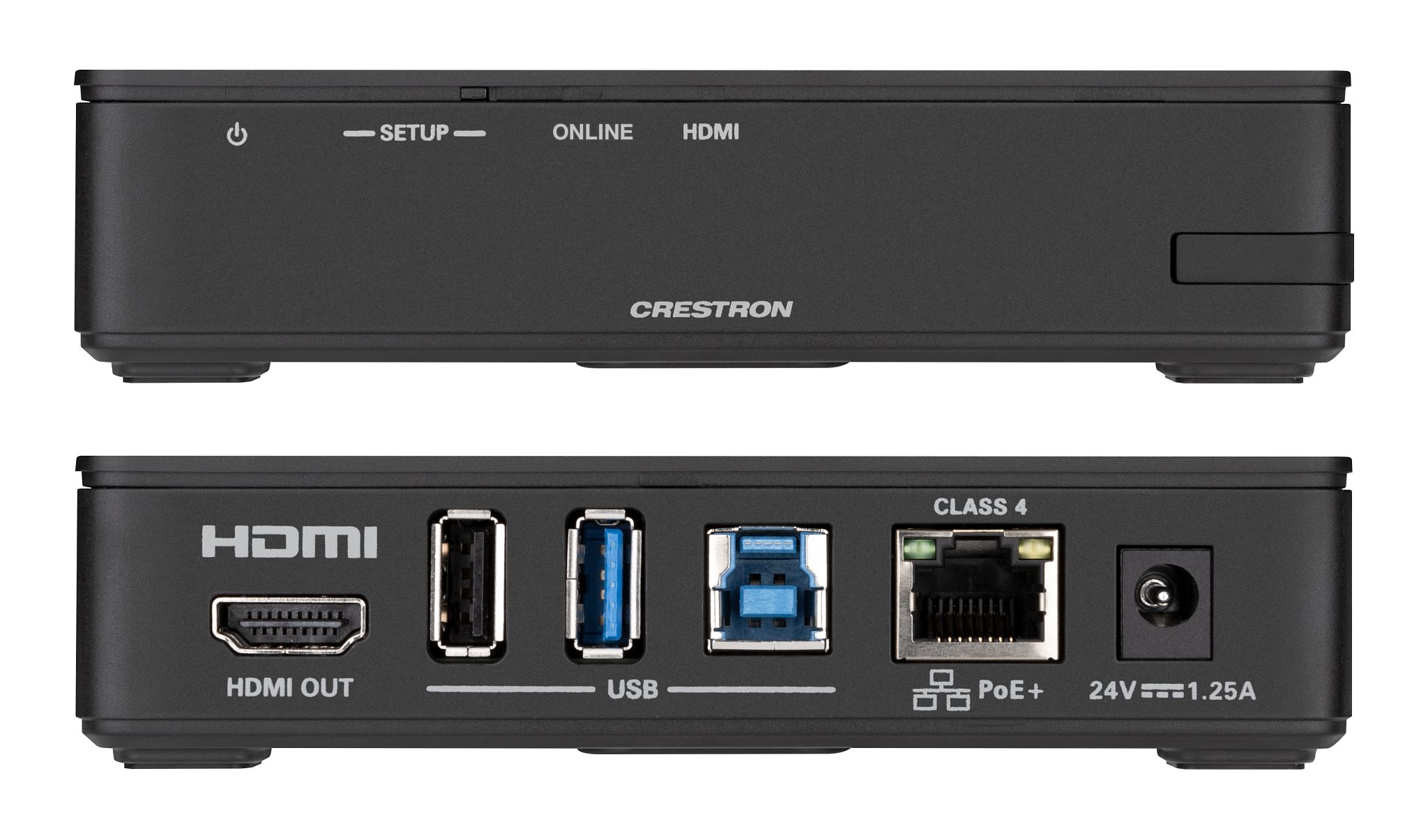
[Images showing AM-3000 and AM-3100 appearance similarity]
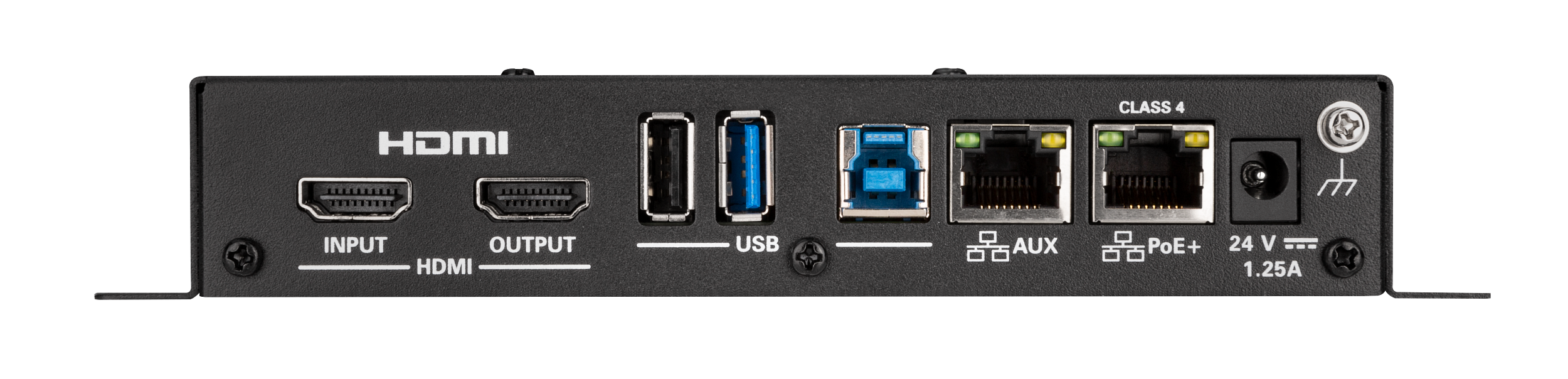
- AM-3200-WF-I: The top-tier model adds audio output interface, dual LAN network interface for guest use, and HDMI input supporting both wired and wireless presentations (4K 60FPS) to all AM-3100 features. With RS232/IR ports included for display control, it's ideal for complex large conference rooms or environments with frequent external visitors, maximizing flexibility and scalability.

The Future of Conference Rooms: With Crestron AirMedia
Unlike me struggling with complex cables and wasting time, Crestron AirMedia is more than just a wireless screen-sharing system – it's wireless meeting core technology solving long-standing conference room problems and opening new possibilities. From interface incompatibilities to cable failures, distance limitations, and cluttered environments, AirMedia neatly resolves all these "failure stories."
Now your conference room can transform into a faster, more flexible, and more secure collaboration environment. Without presenter transition hiccups, freely connecting any device, and even integrating video conferencing and digital signage into one system, work efficiency will improve and creative idea exchanges will flourish.
Stop wasting energy on meeting preparation – Crestron AirMedia: What is it? Wireless Meeting Core Technology is the answer that can revolutionize your work efficiency.

Professional Crestron Installation: With RAQIA
Installing conference room equipment is a significant decision. It's not just about whether the screen displays well, but how much smoother the actual meeting flow becomes. That's why many companies want to see the actual usage environment before making purchases.
RAQIA (Bizware System Inc.) is a brand born from such concerns. With nearly 30 years of space and user-centered design experience, the company holds a BBB+ corporate credit rating and official Crestron partner status. Rather than simple equipment delivery, we've focused on designing entire conference room spaces to operate naturally.
RAQIA designs integrated conference room control systems based on the philosophy that "technology should work inconspicuously, and spaces should respond to user intentions." The design reflects careful consideration of even single buttons and cables that shouldn't disrupt meeting flow.
Before installation, experience AirMedia yourself. At raqia.co.kr, you can experience actual customer conference rooms in VR.
Additionally, visiting our demo room lets you directly use actual equipment in Korea's first Crestron Sightline environment. Through XR equipment, you can immersively experience various companies' NVX and AirMedia use cases, fully envisioning your post-implementation environment.

Note: Our Korea team handles all implementation and support in Korean.(in English if you'd like to need.)
라키아 RAQIA | 크레스트론 스마트회의실 솔루션 : 네이버 블로그
30년 업력 (주)비즈웨어시스템의 프리미엄 브랜드 라키아입니다. ✓ 기업신용평가 BBB+ | 크레스트론 공식 파트너 ✓ 전 세계 3곳뿐인 Automate VX 데모룸 보유 ✓ 국내 최초 크레스트론 사이트라인
blog.naver.com
For Conference Room Planning:
📞 Demo Room Reservation: raqia.co.kr
📧 Consultation Inquiry: jhwh@raqia.co.kr
☎️ Phone: +82 010-9508-6382 / +82 02-558-8347
라키아, 공간을 스마트하게 완성하는 브랜드 ㅣ RAQIA
라키아는 비즈웨어시스템이 새롭게 런칭한 공간 전문 브랜드로, 기업 회의실, 호텔, 고급 주택 등 다양한 공간에 최적화된 솔루션을 제공합니다.
raqia.co.kr
When meetings change, work naturally transforms.
#Crestron #RAQIA #AirMedia #CrestronAirMedia #WirelessMeeting #WirelessScreenSharing #BYOD #SmartConferenceRoom #MeetingSolution #WirelessPresentation #VideoConferencing #BeginnerGuide
#크레스트론 #라키아 #에어미디어 #크레스트론에어미디어 #무선회의 #무선화면공유 #BYOD #스마트회의실 #회의솔루션 #에어미디어 #무선프레젠테이션 #화상회의 #초보자가이드


